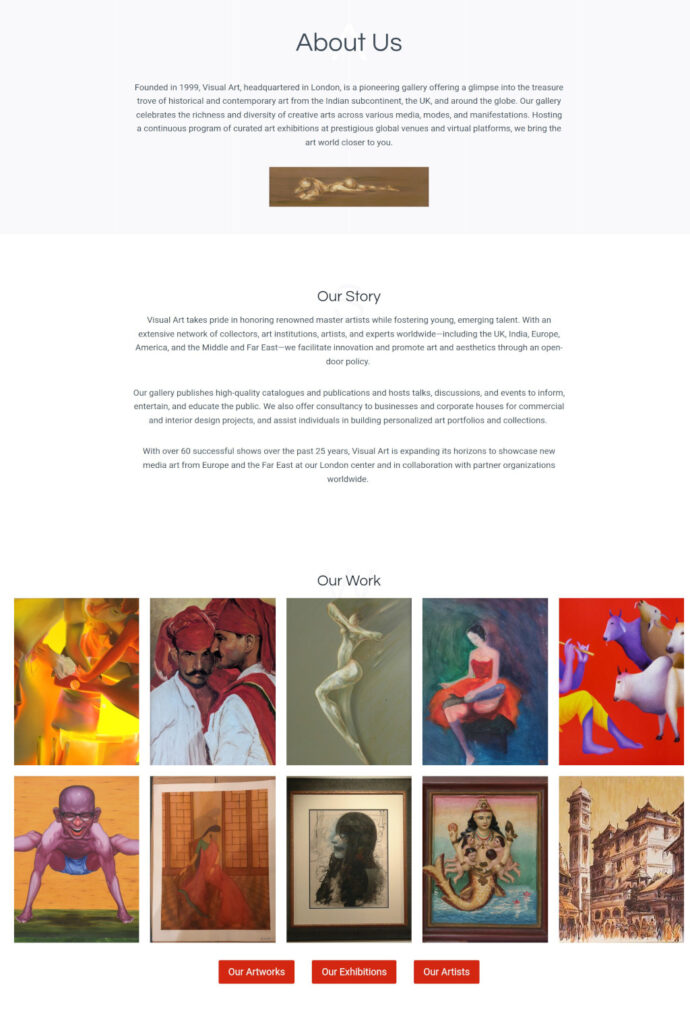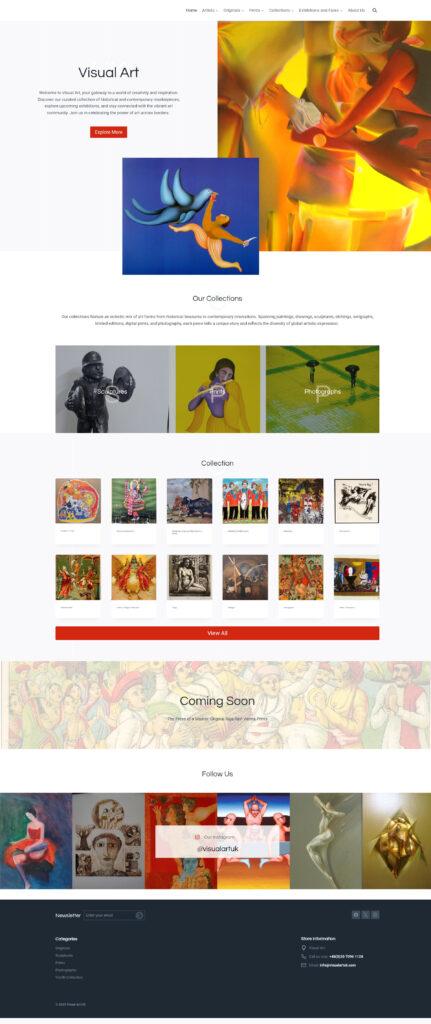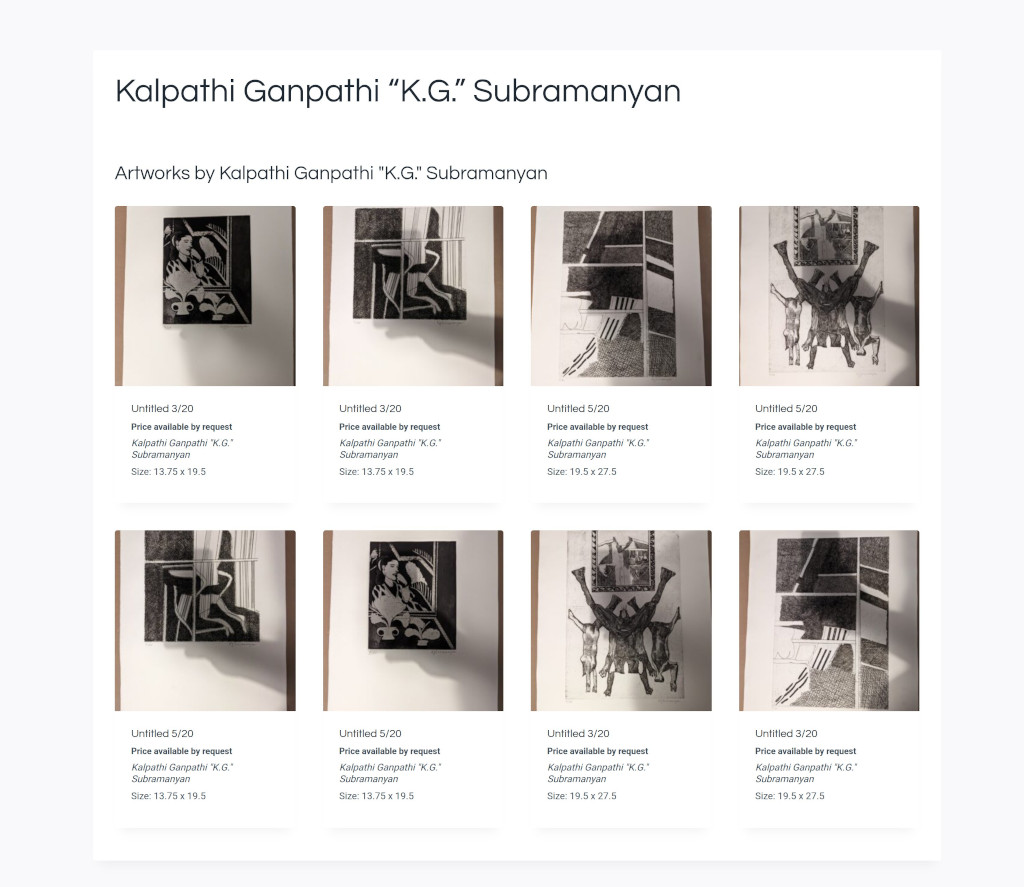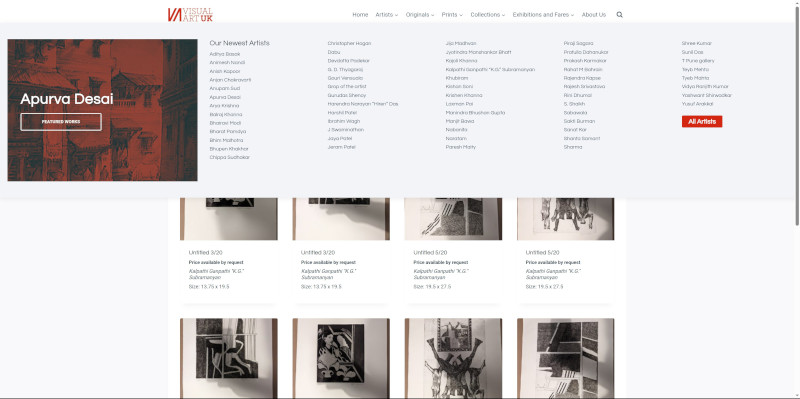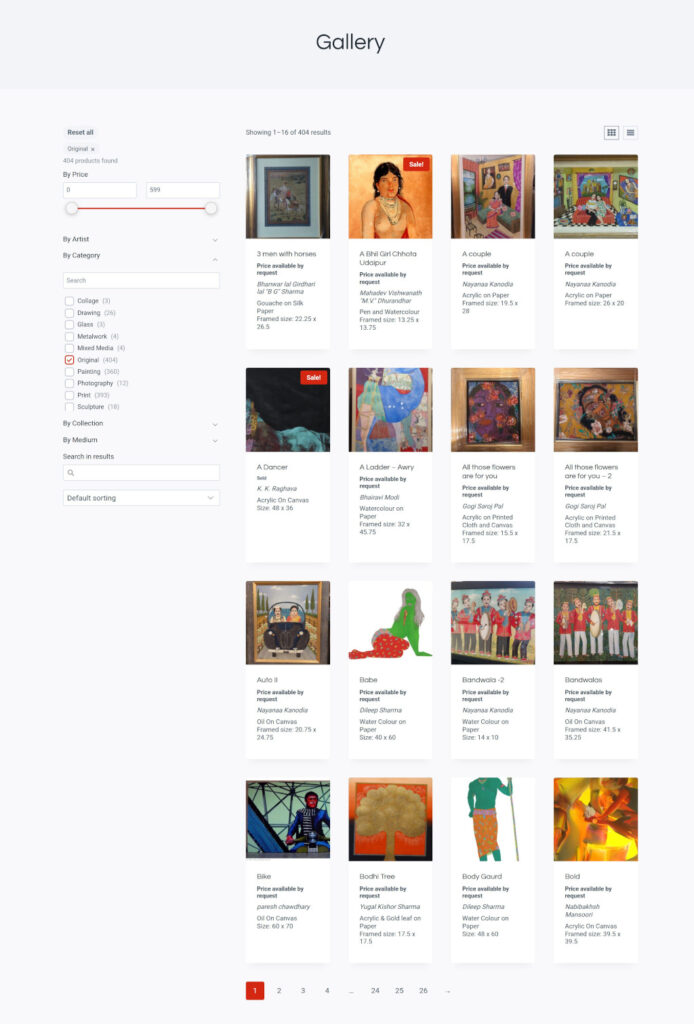

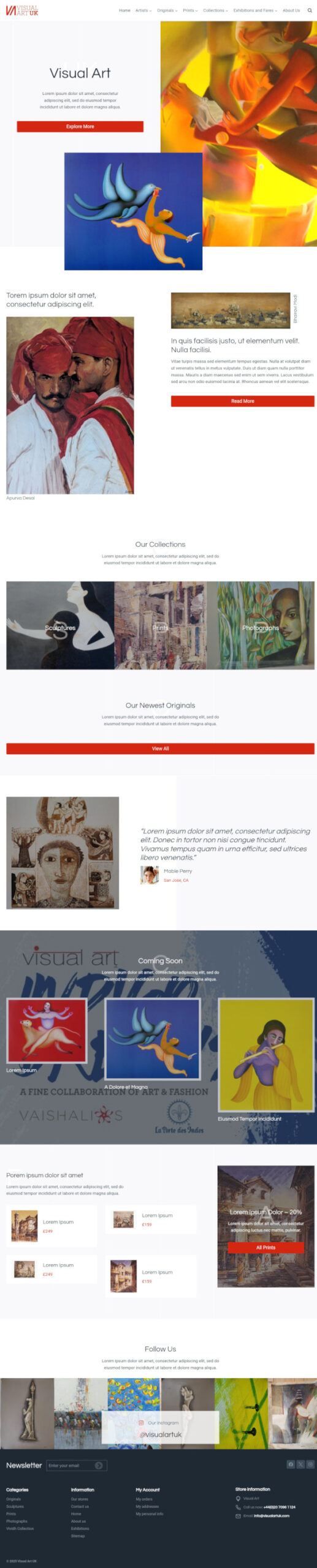
This WordPress art gallery began as what looked like a WooCommerce customisation job, but it became clear fairly quickly that the gallery needed something much more tailored. The end result was a custom WordPress and WooCommerce platform that let them manage artists, exhibitions, artworks, and catalogue imports in a way that matched how the gallery actually operated.
What They Needed
They needed more than a standard online shop. They needed a gallery platform built on WordPress and WooCommerce without forcing the business into ecommerce conventions that did not fit.
- A way to import and manage a large artwork catalogue from spreadsheet data.
- Flexible product handling for works sold online, sold already, or available by enquiry.
- Structured content for artists and exhibitions.Product layouts that fit artworks better than standard WooCommerce templates.
- A lightweight build without heavy page builders or awkward off-the-shelf hacks.
The main problem was not just feature gaps. WooCommerce’s default structure was not a natural fit for how an art gallery thinks about inventory and presentation.
How I Helped
Building A WordPress Art Gallery
I treated the project as a Custom WordPress Build using WooCommerce as a base where it made sense, while reshaping the rest around the gallery’s actual needs.
- I built the site on a clean WordPress foundation using a Kadence child theme for performance and flexibility.
- I developed a custom plugin to handle artist profiles, events, taxonomy enhancements, and frontend display logic.
- I built a separate custom importer plugin to map spreadsheet data into WooCommerce products with the gallery’s specific metadata and image handling requirements.
- I reworked product display logic so artworks used terminology and structure suited to the gallery rather than default ecommerce emphasis.
- I created structured content for artists, exhibitions, events, and catalogues.
- I handled the logic for different sales states such as works sold online, sold already, or available on request.
This was a good example of using WooCommerce pragmatically rather than dogmatically. It stayed part of the solution, but the site around it was rebuilt to fit the business properly.
Results
The gallery ended up with a much more usable and tailored platform.
- A custom WordPress and WooCommerce site that fits the gallery’s workflow.
- A reusable spreadsheet import process for managing large numbers of artworks.
- Clearer handling of artists, exhibitions, and catalogue content.
- Product pages and archive logic better suited to artworks than standard WooCommerce templates.
- A lighter, more maintainable build than a plugin-heavy alternative.
The project turned WooCommerce into something much closer to a gallery management platform rather than leaving the client to work around its defaults.
Why It Worked
This worked because the build did not try to force the gallery into a standard ecommerce model.
The main decisions that mattered were:
- recognising early that a few WooCommerce tweaks would not be enough
- using custom plugins to support the business-specific parts of the platform
- reshaping product structures and display logic around artworks rather than generic products
- keeping the overall setup lean and maintainable
That is what made the final result feel tailored and workable instead of like a shop plugin awkwardly pretending to be a gallery system.
Related Work
If you want to see more project work, my Portfolio is the best place to continue.
If the main need is a tailored build or a site that has outgrown a more standard setup, Custom WordPress Website Builds is the closest service.
For projects that depend on custom functionality beyond normal plugin behaviour, Custom WordPress Development is also a good place to start.